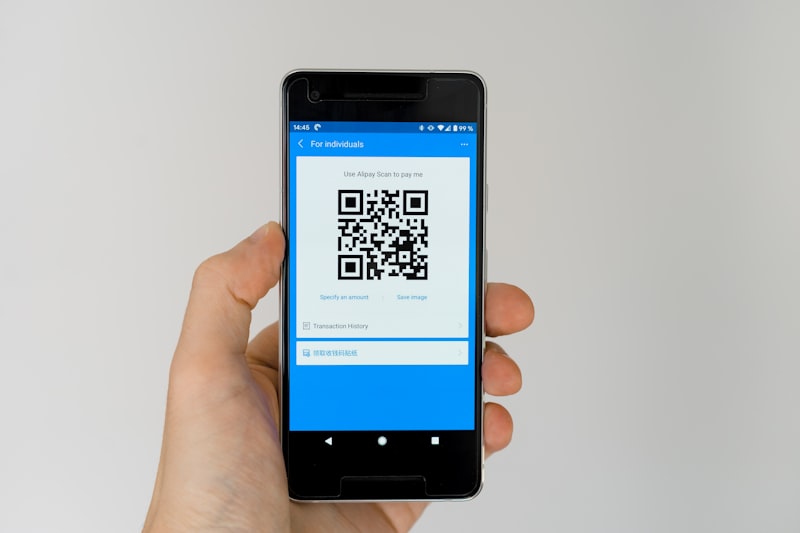
Managing corporate guest lists in Excel sometimes leads to data conflicts. Discover the comparison between traditional spreadsheets and modular eInvite databases.
Comparison Matrix
Feature / Metric
Excel / Google Sheets
Buku Tamu by einvite.id
Multi-User Editing
Risk of crash/overlap when editing together
Real-time protected from data collision (atomic)
Entry Gate Security
Easy to manipulate (no access protection)
Secure per-tenant database isolation with QR encryption
Ticket Scan Integration
None (staff searches & types manually)
Built-in eInvite mobile scanner app
VIP Arrival Notification
Manual tracking from lobby to committee
Automatic WhatsApp notification blast to committee
Data Backup
Manual file backup by respective admins
Regular automatic cloud backups
Change Audit Trail Log
Very difficult to track row editors
Detailed audit history logs (who checked in whom) complete
In-Depth Analysis: When to Migrate from Excel to a Digital Registration Database
1. Multi-User Collaboration Limits in Spreadsheets
Using Excel or Google Sheets for managing corporate guest lists often leads to data conflicts when multiple staff members update the file concurrently. Data collisions, accidental row deletions, or delays in synchronization between entrance gates are classic operational hurdles. eInvite resolves this with real-time atomic database updates, ensuring guest data is safe and conflict-free.
2. Data Security and Privacy Standards
Excel files are easily copied, downloaded, or shared without centralized access controls, creating risks of leaking sensitive guest data. In contrast, eInvite enforces tenant isolation and encrypted QR passes. Access is strictly controlled, and every check-in activity is tracked via detailed audit logs.
3. Entrance Processing Speed
Manually searching names across thousands of spreadsheet rows takes 15 to 30 seconds per guest, leading to long entrance queues. With eInvite's QR Code system, staff scan tickets using smartphones in under 2 seconds. VIP arrivals are detected instantly, trigger automatic WhatsApp alerts, and attendance metrics update live on the dashboard.
🟢 Advantages (Pros)
Excel / Google Sheets
✔️ Widely known by almost all office admin staff.
✔️ Requires no additional software license (free/included in office suite).
✔️ Flexible for bulk column editing on the fly.
Buku Tamu by einvite.id
✔️ Atomic database update system prevents concurrent editing duplication.
✔️ Tenant isolation security ensures guest data is protected from external leaks.
✔️ Audit trail tracks check-in and reception activity in detail.
🔴 Disadvantages (Cons)
Excel / Google Sheets
❌ Accidental data damage or row deletion easily occurs.
❌ Slow when used to search guest names at the event entry lobby.
❌ Not natively integrated with ticket QR Code scanners.
Buku Tamu by einvite.id
❌ Must upload the initial Excel sheet to the eInvite dashboard first.
❌ Requires software-as-a-service package fee.
📜 Choose Excel / Sheets If:
Your event is a small internal office meeting that does not require entry gate ticket validation.
Only requires a static name list without dynamic attendance records or auto notifications.
⚡ Choose Buku Tamu by einvite.id If:
Your event is large-scale like a corporate AGM, PR launch, or national summit.
Multiple registration staff scan tickets at several entry gates simultaneously.
You need trusted audit logs that comply with data privacy standards.
Frequently Asked Questions
Q: Do we still need Excel if we use eInvite?▼
Yes, Excel is still useful for initial data collection. You can simply upload the Excel file to the eInvite dashboard to generate a dynamic QR Code registration system.
Q: What if our staff accidentally deletes a row of data in eInvite?▼
The eInvite dashboard has an activity log feature (Audit Trails). We also provide database protection so deleted data can be recovered by the Super Admin.
Q: How is data privacy managed on eInvite compared to a shared Excel file?▼
eInvite features tenant isolation and role-based access controls, ensuring guest details are only accessible to authorized personnel, unlike Excel files which can be easily downloaded or shared.
Q: Can we import customized columns from our Excel sheets into eInvite?▼
Yes, our Excel importer supports mapping custom columns such as table numbers, VIP status, groups, and notes directly into the digital database.
Q: What happens if there is no internet connection at the entrance gates?▼
eInvite includes offline synchronization capabilities. Staff can continue checking in guests, and the data will automatically sync once a connection is restored.

 Sign in